Voice first
Log quickly with voice
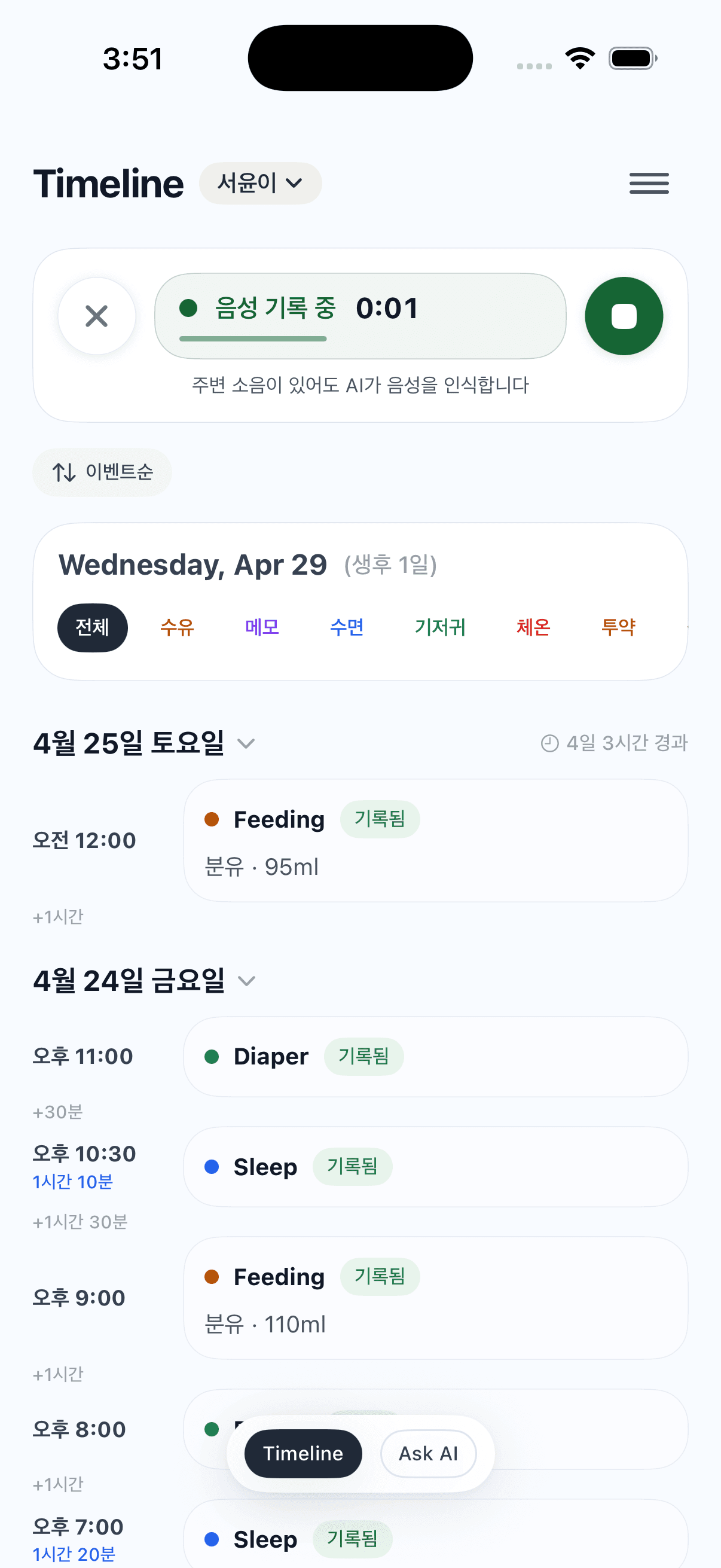
When you are feeding or your hands are busy, record with the voice button or Siri. AI understands what was recorded and organizes the care entry into your timeline.
Log feedings, diapers, sleep and weight quickly, then review everything through Timeline and Ask AI. Little Diary keeps records short in the moment and useful later.
Little Diary is focused on reducing the effort of logging baby care and making those records easy to understand later.
When you are feeding or your hands are busy, record with the voice button or Siri. AI understands what was recorded and organizes the care entry into your timeline.
Feedings, diapers, notes and other events are easy to review on the timeline. Event filters let you focus on each type, while the last event time and intervals help you decide what care comes next.
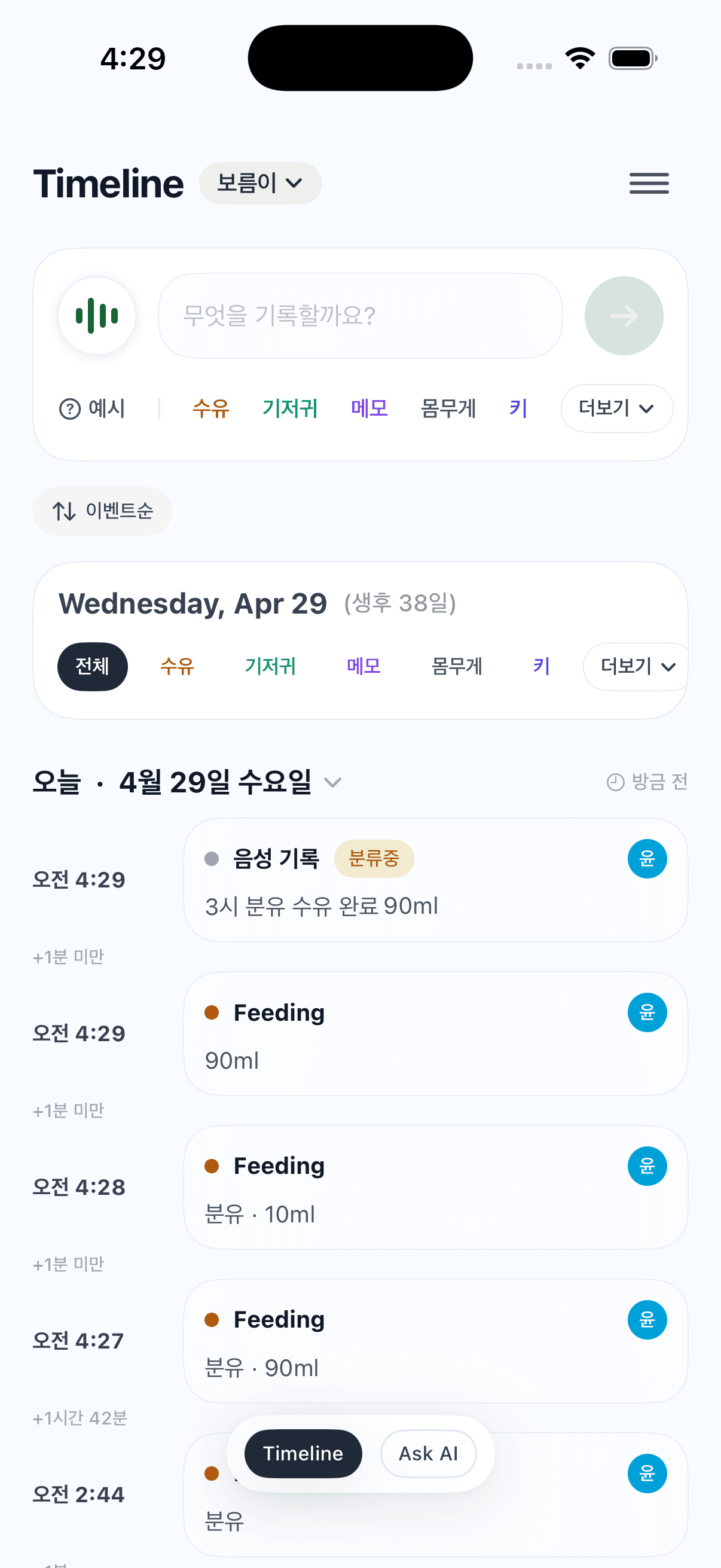
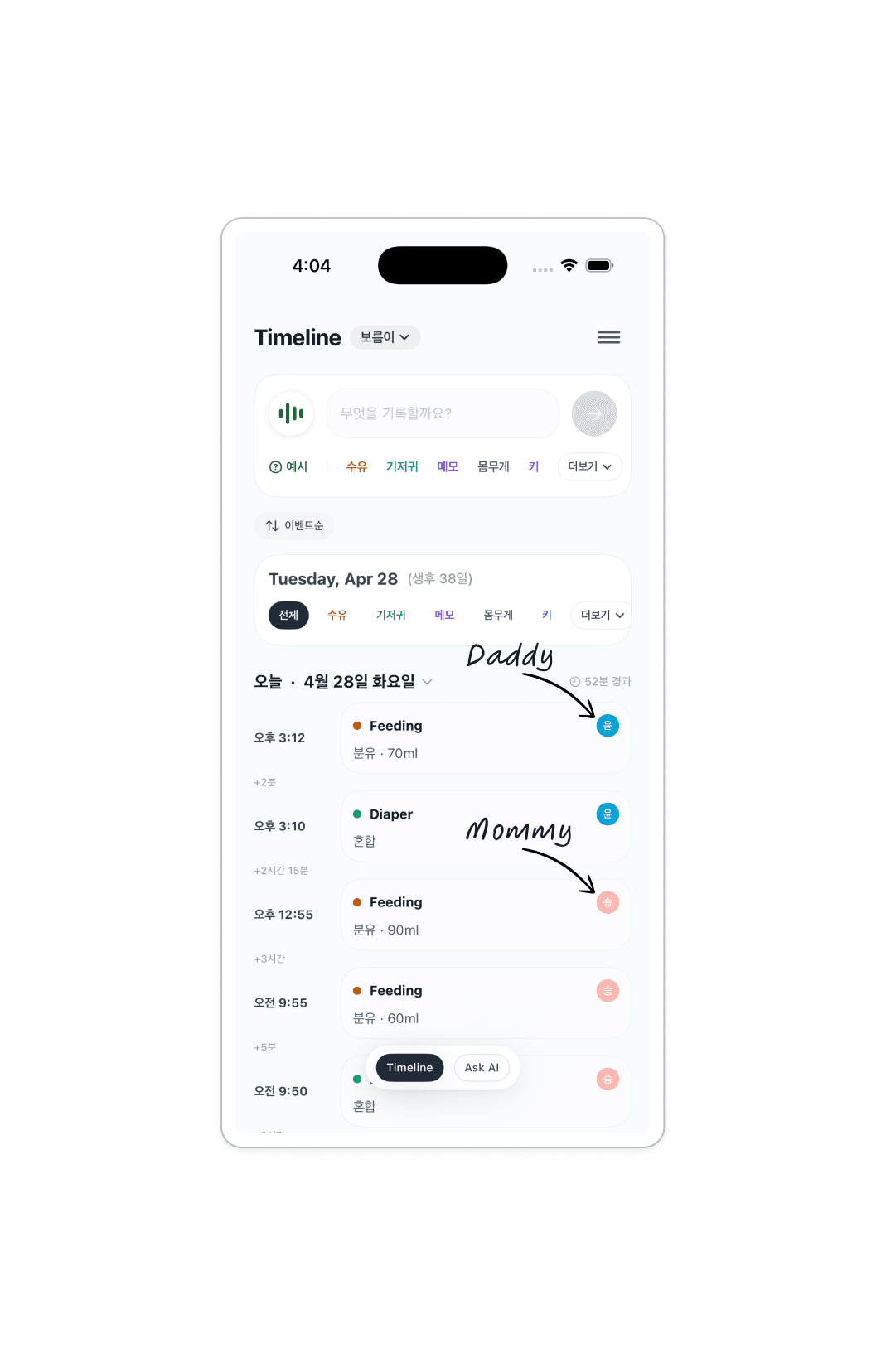
Parents and grandparents can share the same baby timeline and add records together, with each entry showing who logged it.
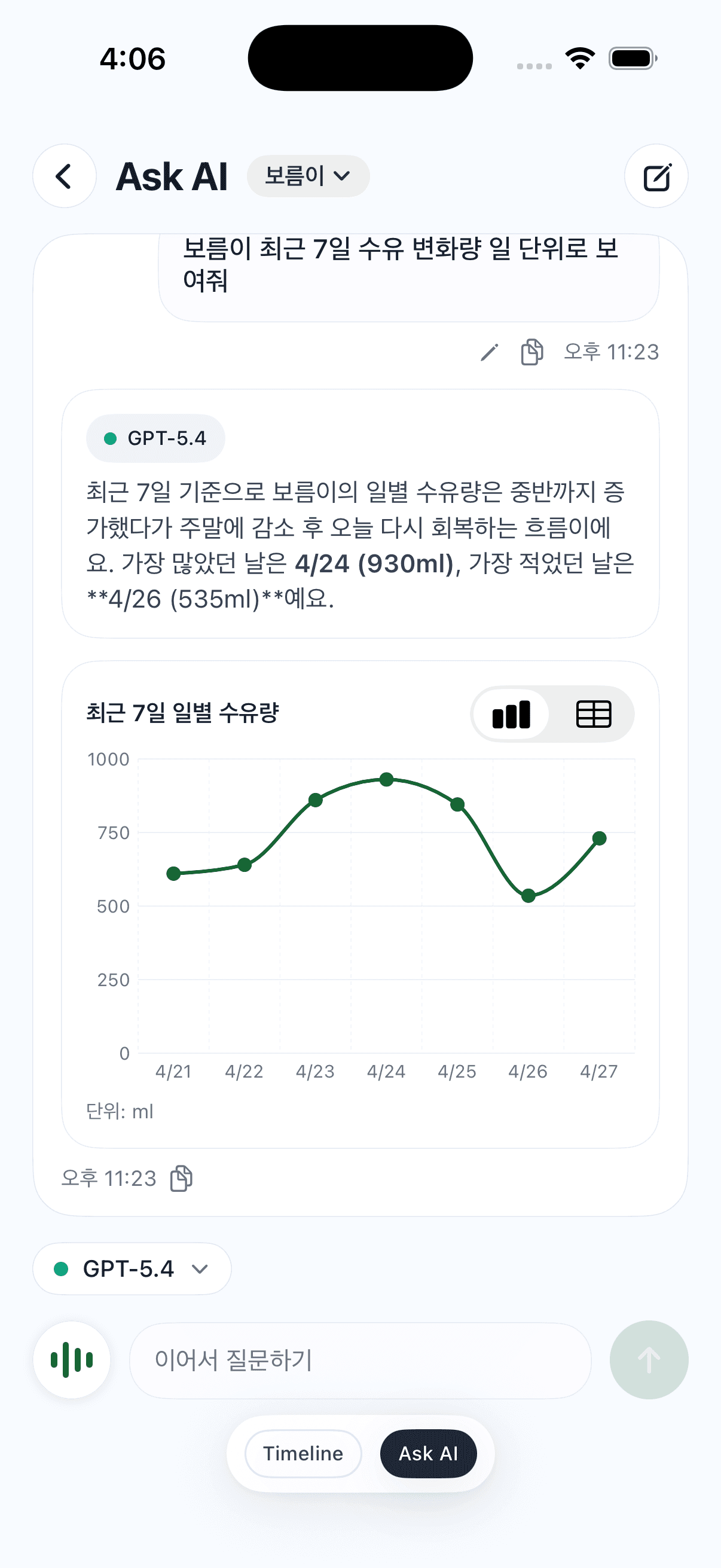
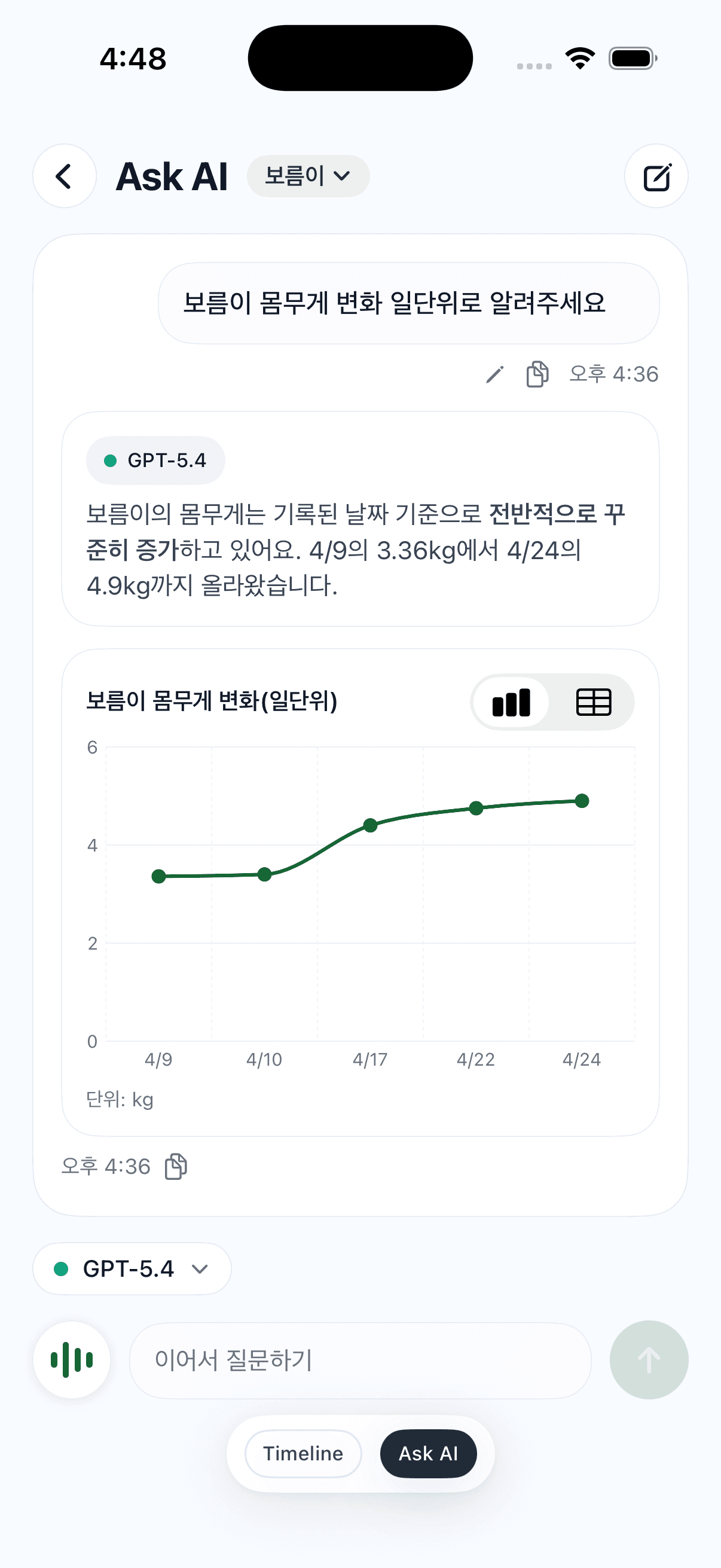
Ask about feeding trends, weight changes or age-specific development in plain language. Ask AI answers from saved diary data and can show charts when that makes the pattern clearer.
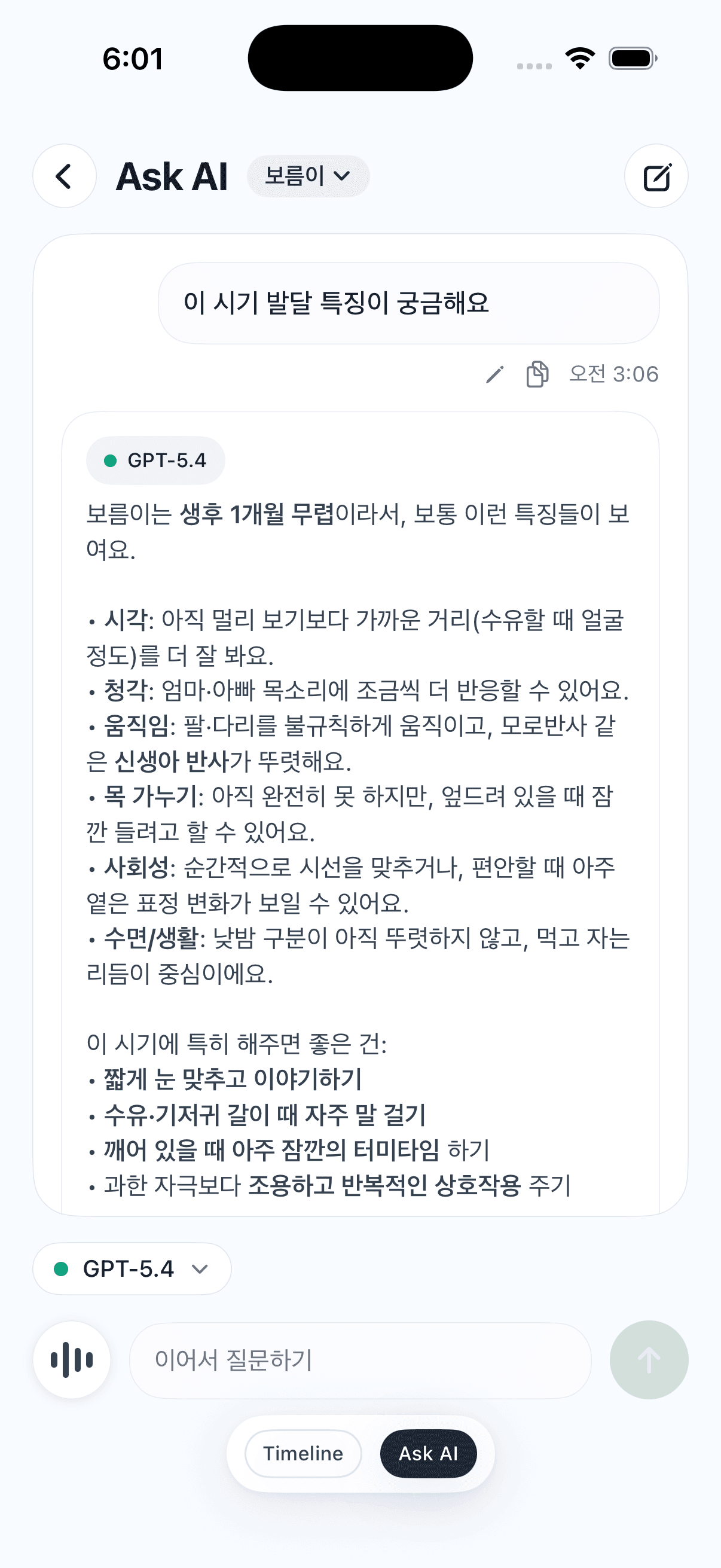
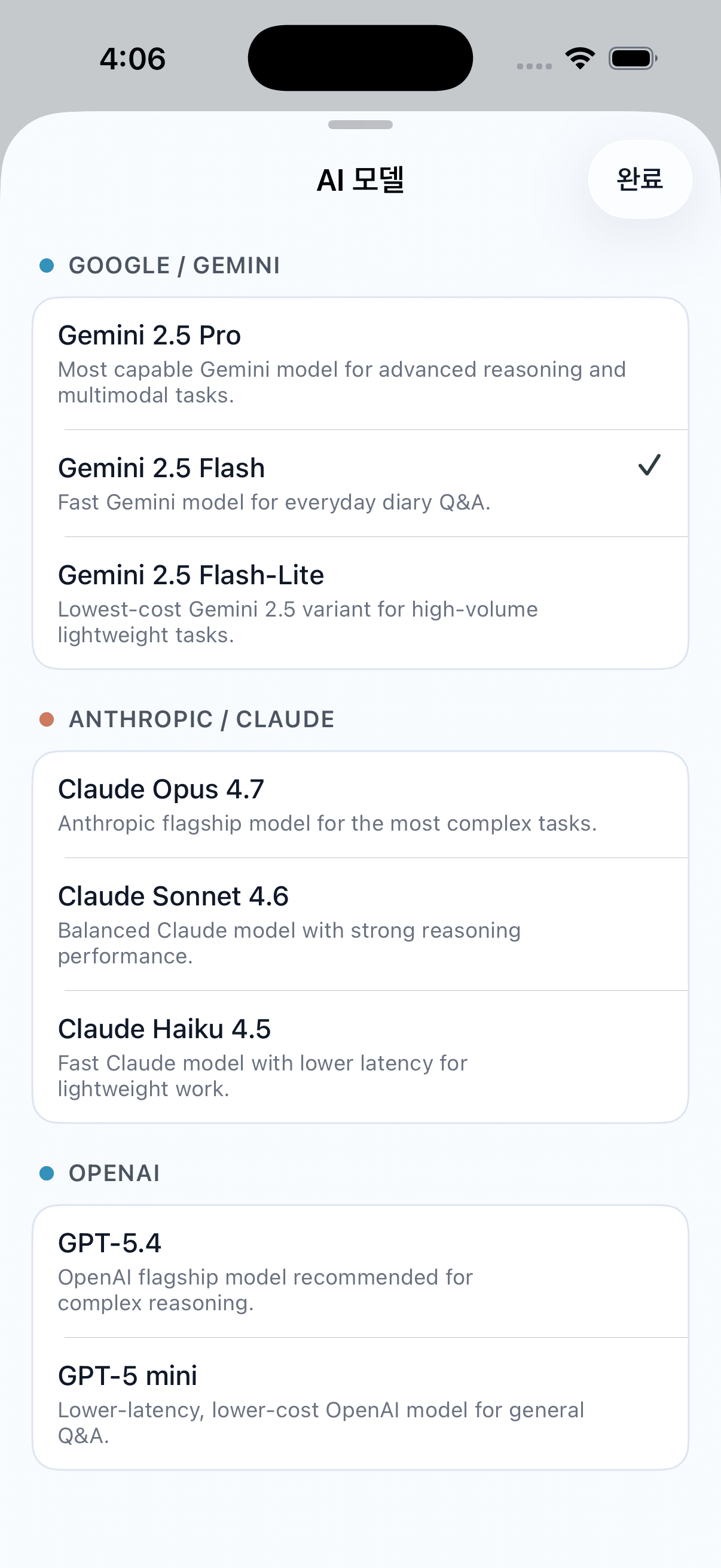
Pick from Gemini, Claude and OpenAI models depending on whether you need deeper reasoning for development questions or a quick check of everyday diary records.
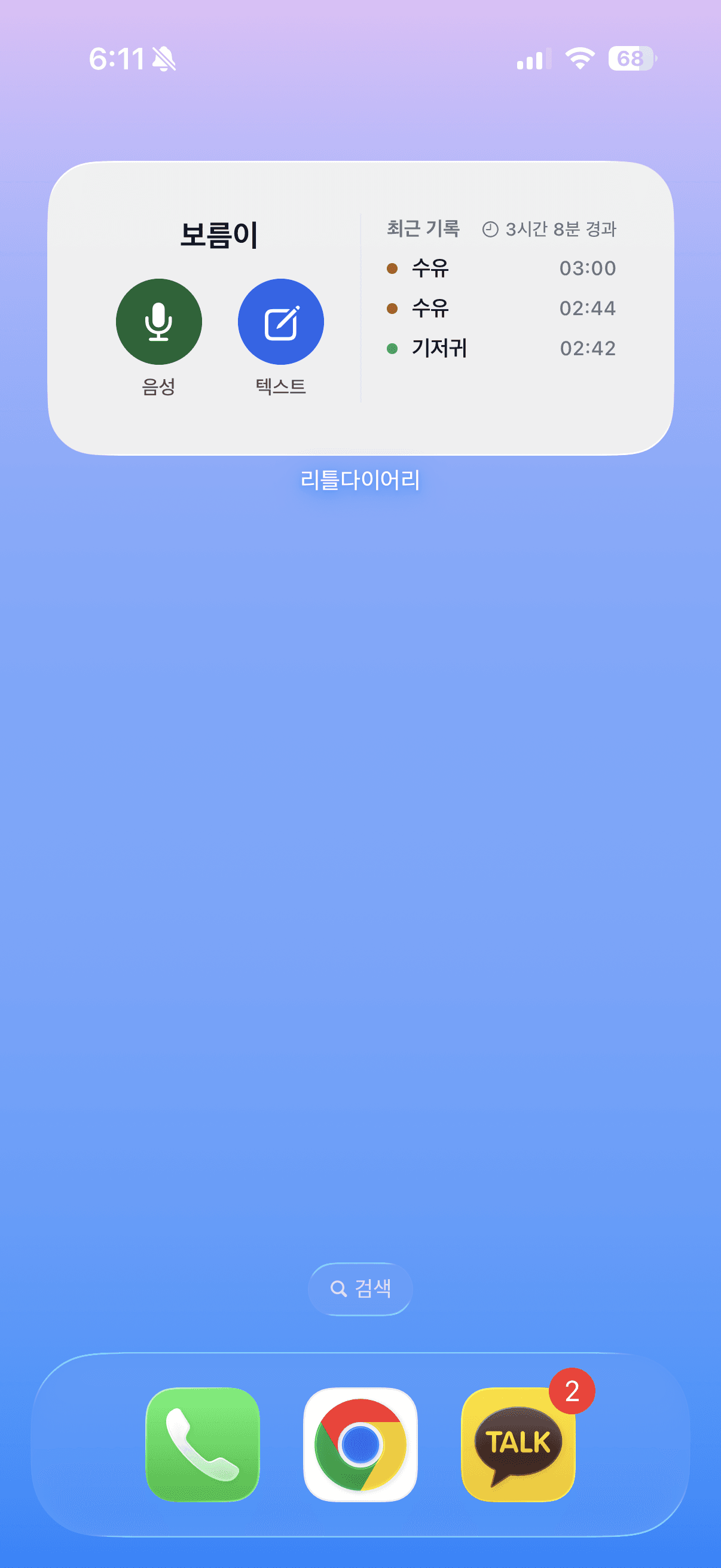
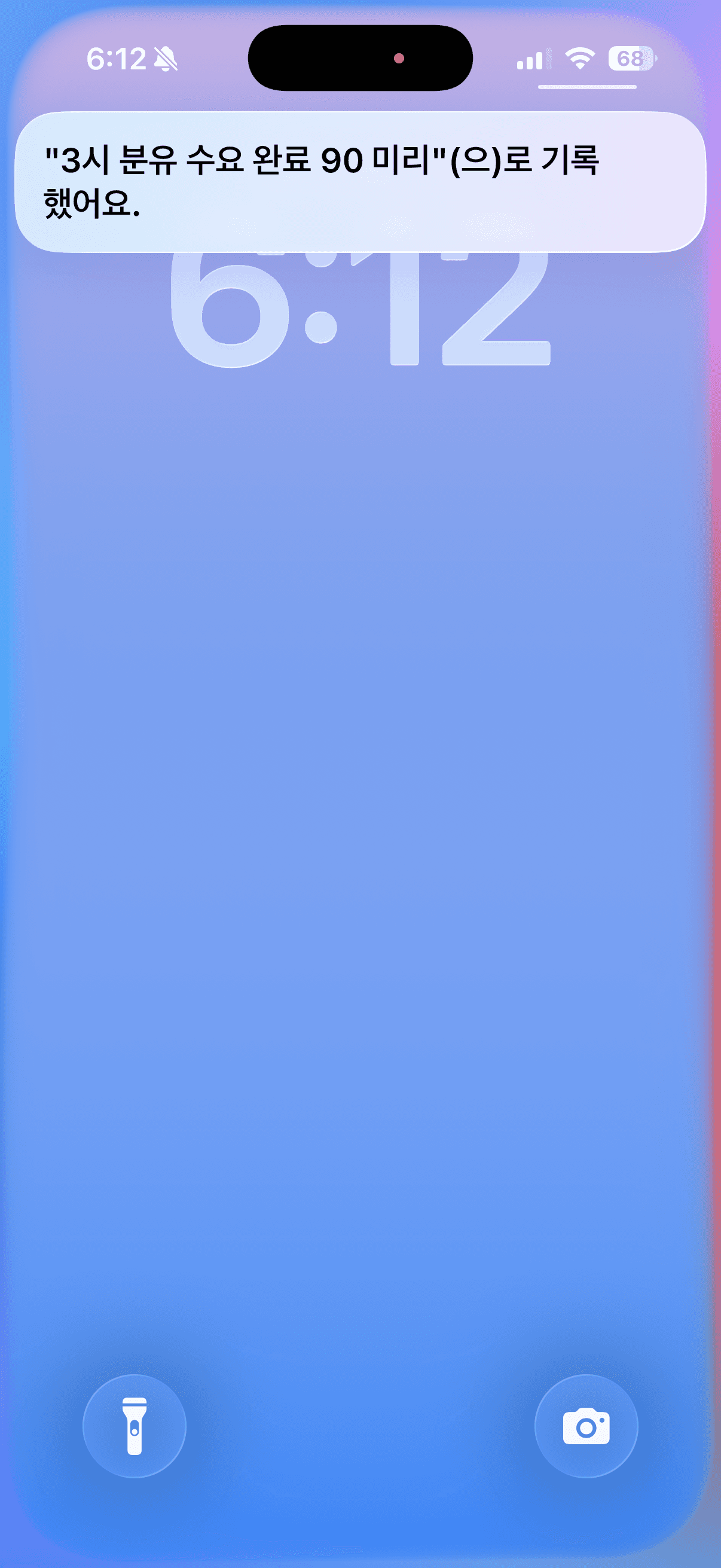
Home screen widgets and Siri reduce the time it takes to log something. Speak at the moment it happens and the result continues into your Little Diary timeline.
Start from the lock screen, say what happened and confirm the saved result.

Open voice or text log and check recent records directly from the home screen.